
Awesome QA Prompt Collection
English | 简体中文


A professional collection of AI prompts for QA (Quality Assurance) professionals, designed to help test engineers and QA teams work more efficiently throughout the software testing lifecycle.
📊 Project Word Cloud
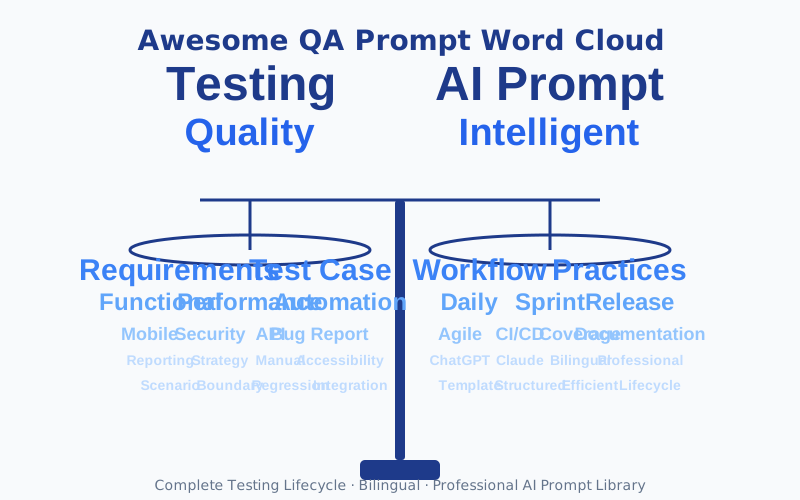
Visual representation of core keywords - Balance symbolizes precision and rigor in testing
🌐 Online Documentation
📖 Visit our online documentation for a better reading experience: https://naodeng.github.io/awesome-qa-prompt/
💡 Deployment: This project is configured with GitHub Actions for automatic deployment. Every push to the
mainbranch automatically updates the online documentation. See Deployment Guide for details.
Online documentation features:
- 🔍 Full-text Search - Quickly find what you need
- 🌓 Dark/Light Theme - Auto-adapts to system theme
- 🌏 Bilingual Support - Switch between Chinese and English
- 📱 Responsive Design - Perfect mobile experience
- 📑 Clear Navigation - Sidebar and table of contents
- ⚡ Lightning Fast - Static site, instant loading
📋 Table of Contents
🎯 Project Overview
Awesome QA Prompt Collection is a carefully curated library of AI prompts specifically designed for software testing and quality assurance. By providing structured, professional prompt templates, it helps test engineers:
- Improve Testing Efficiency: Quickly generate high-quality test scenarios and test cases
- Ensure Test Coverage: Systematically cover functional, performance, security, and other dimensions
- Standardize Processes: Unify test documentation formats and test execution standards
- Knowledge Transfer: Preserve best practices and testing experience
📚 Feature Categories
This collection includes professional prompts for the following testing domains:
1. 📝 Requirements Analysis
- Location:
RequirementsAnalysis/RequirementsAnalysisPrompt_EN.md - Description: Conduct in-depth analysis based on requirements documents and design comprehensive test scenarios
- Use Cases: Requirements review, test planning, test scenario design
- Core Capabilities:
- Test design methods: Scenario testing, state transition diagrams, decision tables
- Positive paths, negative paths, boundary value analysis
- UI/UX, input validation, non-functional testing coverage
2. ✍️ Test Case Writing
- Location:
TestCaseWriting/TestCaseWritingPrompt_EN.md - Description: Automatically generate detailed test cases based on test scenarios
- Use Cases: Test case design, test documentation writing
- Core Capabilities:
- Test case design principles and best practices
- Standardized test case format and templates
- Test data design and management strategies
- Maintainability and traceability assurance
3. 🔍 Functional Testing
- Location:
FunctionalTesting/FunctionalTestingPrompt_EN.md - Description: Design functional testing strategies and execution plans
- Use Cases: Functional test execution, regression testing
- Core Capabilities:
- Black-box testing methods and functional decomposition testing
- Functional coverage completeness and scientific testing methods
- Business logic complexity and user experience focus
- System integration complexity handling
4. ⚡ Performance Testing
- Location:
PerformanceTesting/PerformanceTestingPrompt_EN.md - Description: Design performance test scenarios and performance metrics analysis
- Use Cases: Performance test planning, performance bottleneck analysis
- Core Capabilities:
- Load, stress, spike, capacity, and other performance tests
- Performance metrics system and bottleneck analysis framework
- Test scenario realism and performance optimization recommendations
- Performance monitoring and trend analysis
5. 🤖 Automation Testing
- Location:
AutomationTesting/AutomationTestingPrompt_EN.md - Description: Automation test script design and framework selection
- Use Cases: Automation test implementation, CI/CD integration
- Core Capabilities:
- Test automation pyramid and layered strategy
- Web, API, mobile, database automation
- Technology stack selection and framework design
- CI/CD integration and maintenance optimization
6. 📱 Mobile Testing
- Location:
MobileTesting/MobileTestingPrompt_EN.md - Description: Mobile application testing strategies and scenario design
- Use Cases: Mobile application testing, compatibility testing
- Core Capabilities:
- iOS and Android platform-specific testing
- Device compatibility and network connectivity testing
- Mobile lifecycle and user interaction testing
- Performance, security, and user experience specialized testing
7. 🐛 Bug Reporting
- Location:
BugReporting/BugReportingPrompt_EN.md - Description: Standardized bug report templates and bug analysis
- Use Cases: Bug management, bug analysis
- Core Capabilities:
- Bug identification principles and classification system
- Standardized bug report format
- Root cause analysis and resolution recommendations
- Bug lifecycle management
8. 📊 Test Reporting
- Location:
TestReporting/TestReportingPrompt_EN.md - Description: Test execution reports and quality analysis reports
- Use Cases: Test summary, quality assessment
- Core Capabilities:
- Multiple types of test report writing
- Quality metrics system and risk assessment
- Data visualization and trend analysis
- Decision support and improvement recommendations
9. 🎯 Test Strategy
- Location:
TestStrategy/TestStrategyPrompt_EN.md - Description: Overall test strategy development and test plan design
- Use Cases: Project kickoff, test planning
- Core Capabilities:
- Test strategy hierarchy and development principles
- Test objectives, scope, methods, resource planning
- Risk management and quality control mechanisms
- Implementation plan and budget resource planning
10. 🤖 AI-Assisted Testing
- Location:
AIAssistedTesting/AIAssistedTestingPrompt_EN.md - Description: Leverage AI technology to improve testing efficiency and quality
- Use Cases: Intelligent test generation, test optimization
- Core Capabilities:
- AI-driven test case generation
- Intelligent bug prediction and analysis
- Automated test maintenance and optimization
- Intelligent test data generation
11. 📋 Manual Testing
- Location:
ManualTesting/ManualTestingPrompt_EN.md - Description: Manual testing strategies and exploratory testing
- Use Cases: Exploratory testing, user experience testing
- Core Capabilities:
- Exploratory testing methods and techniques
- Manual test case design
- User experience evaluation
- Test session management
12. 🔒 Security Testing
- Location:
SecurityTesting/SecurityTestingPrompt_EN.md - Description: Security vulnerability detection and security testing strategies
- Use Cases: Security audit, penetration testing
- Core Capabilities:
- OWASP Top 10 vulnerability testing
- Authentication and authorization testing
- Data security and encryption testing
- Security compliance checking
13. 🔌 API Testing
- Location:
APITesting/APITestingPrompt_EN.md - Description: API interface testing and integration testing
- Use Cases: Interface testing, microservices testing
- Core Capabilities:
- RESTful API test design
- API performance and load testing
- Interface contract testing
- API security testing
14. ♿ Accessibility Testing
- Location:
AccessibilityTesting/AccessibilityTestingPrompt_EN.md - Description: Web accessibility testing and WCAG compliance checking
- Use Cases: Accessibility testing, compliance verification
- Core Capabilities:
- WCAG 2.1 standard testing
- Screen reader compatibility
- Keyboard navigation testing
- Color contrast and visual testing
🔄 Testing Workflows
This project provides three practical testing workflows to help teams efficiently use the prompt library in different scenarios:
1. 📅 Daily Testing Workflow
- Location:
Workflows/daily-testing-workflow_EN.md| 中文版 - Use Cases: Daily testing activities for QA engineers
- Coverage:
- Morning routine and test planning
- Test case creation and automation
- Exploratory testing and bug reporting
- Daily summary and knowledge sharing
2. 🏃 Sprint Testing Workflow
- Location:
Workflows/sprint-testing-workflow_EN.md| 中文版 - Use Cases: 2-week sprint cycle for Agile/Scrum teams
- Coverage:
- Sprint planning and test strategy
- Daily testing activities and progress tracking
- Regression and integration testing
- Sprint review and retrospective
3. 🚀 Release Testing Workflow
- Location:
Workflows/release-testing-workflow_EN.md| 中文版 - Use Cases: Comprehensive testing before production release
- Coverage:
- Release planning and test preparation (T-14 days)
- Specialized testing (performance, security, accessibility)
- Release candidate testing and Go/No-Go decision
- Release day process and post-release monitoring
Workflow Usage Tips:
- Choose the appropriate workflow based on current task
- Follow links in workflows to access relevant prompts
- Use checklists to track progress
- Adjust workflows according to team practices
🚀 Quick Start
Method 1: Online Use (Recommended)
Visit our online documentation: https://naodeng.github.io/awesome-qa-prompt/
- Select a testing type or workflow from the left sidebar
- Click "Full Version" or "Lite Version" to view prompts
- Copy the prompt content to your AI assistant (ChatGPT, Claude, Cursor AI, etc.)
- Attach your input materials to get structured test documentation
Method 2: Local Use
Prerequisites
- AI assistant that supports Markdown format (e.g., ChatGPT, Claude, Cursor AI)
- Basic software testing knowledge
Usage Steps
Select a Prompt
- Choose the corresponding prompt file based on your testing task
- Use English prompts (_EN.md) for English projects, Chinese prompts for Chinese projects
Prepare Input Materials
- Prepare relevant input documents according to the prompt requirements
- Example: Requirements analysis requires requirements documents or User Stories
Copy the Prompt
- Copy the selected prompt content to your AI assistant
- Attach your input materials after the prompt
Get Output
- The AI assistant will generate structured test documentation based on the prompt
- Adjust and refine as needed
Example: Requirements Analysis
# Step 1: Copy the requirements analysis prompt
# Copy content from RequirementsAnalysis/RequirementsAnalysisPrompt_EN.md

# Step 2: Attach requirements document
[Paste your requirements document or User Story here]

# Step 3: Send to AI assistant
# AI will generate comprehensive test scenarios based on the promptComplete Testing Process Example
# Complete testing project workflow
1. Requirements Analysis → RequirementsAnalysis/RequirementsAnalysisPrompt_EN.md
2. Test Strategy → TestStrategy/TestStrategyPrompt_EN.md
3. Test Case Writing → TestCaseWriting/TestCaseWritingPrompt_EN.md
4. Functional Testing → FunctionalTesting/FunctionalTestingPrompt_EN.md
5. Automation Testing → AutomationTesting/AutomationTestingPrompt_EN.md
6. Performance Testing → PerformanceTesting/PerformanceTestingPrompt_EN.md
7. Mobile Testing → MobileTesting/MobileTestingPrompt_EN.md
8. Bug Reporting → BugReporting/BugReportingPrompt_EN.md
9. Test Reporting → TestReporting/TestReportingPrompt_EN.md📊 Project Completion Status
✅ Completed Modules
| Module | Chinese Prompt | English Prompt | Lite Chinese | Lite English | README | Status |
|---|---|---|---|---|---|---|
| Requirements Analysis | ✅ | ✅ | ✅ | ✅ | ✅ | Complete |
| Test Case Writing | ✅ | ✅ | ✅ | ✅ | ✅ | Complete |
| Functional Testing | ✅ | ✅ | ✅ | ✅ | ✅ | Complete |
| Performance Testing | ✅ | ✅ | ✅ | ✅ | ✅ | Complete |
| Automation Testing | ✅ | ✅ | ✅ | ✅ | ✅ | Complete |
| Mobile Testing | ✅ | ✅ | ✅ | ✅ | ✅ | Complete |
| Bug Reporting | ✅ | ✅ | ✅ | ✅ | ✅ | Complete |
| Test Reporting | ✅ | ✅ | ✅ | ✅ | ✅ | Complete |
| Test Strategy | ✅ | ✅ | ✅ | ✅ | ✅ | Complete |
| AI-Assisted Testing | ✅ | ✅ | ✅ | ✅ | ✅ | Complete |
| Manual Testing | ✅ | ✅ | ✅ | ✅ | ✅ | Complete |
| Security Testing | ✅ | ✅ | ✅ | ✅ | ✅ | Complete |
| API Testing | ✅ | ✅ | ✅ | ✅ | ✅ | Complete |
| Accessibility Testing | ✅ | ✅ | ✅ | ✅ | ✅ | Complete |
🔄 Workflows
| Workflow | Chinese Version | English Version | Status |
|---|---|---|---|
| Daily Testing Workflow | ✅ | ✅ | Complete |
| Sprint Testing Workflow | ✅ | ✅ | Complete |
| Release Testing Workflow | ✅ | ✅ | Complete |
📈 Completion Statistics
- Total Testing Type Modules: 14
- Completed Modules: 14 (100%)
- Chinese Prompts: 14 (100%)
- English Prompts: 14 (100%)
- Lite Chinese: 14 (100%)
- Lite English: 14 (100%)
- Module Documentation: 14 (100%)
- Workflows: 3 (100%)
🎯 Core Features
- Full Lifecycle Coverage: Complete testing lifecycle from requirements analysis to test reporting
- Multi-language Support: Bilingual prompts in Chinese and English for different team needs
- High Professionalism: Each prompt designed by expert roles with 10+ years of experience
- High Practicality: Provides standardized formats and best practice guidance
- Good Extensibility: Modular design, easy to extend and customize
📁 Directory Structure
awesome-qa-prompt/
├── README.md                          # Project documentation (Chinese)
├── README_EN.md                       # Project documentation (English)
├── LICENSE                            # License file
│
├── RequirementsAnalysis/              # Requirements Analysis
│   ├── RequirementsAnalysisPrompt.md      # Chinese prompt
│   ├── RequirementsAnalysisPrompt_EN.md  # English prompt
│   ├── RequirementsAnalysisPrompt_Lite.md     # Lite Chinese
│   ├── RequirementsAnalysisPrompt_Lite_EN.md  # Lite English
│   └── README.md                          # Module documentation
│
├── TestCaseWriting/                   # Test Case Writing
│   ├── TestCaseWritingPrompt.md           # Chinese prompt
│   ├── TestCaseWritingPrompt_EN.md       # English prompt
│   ├── TestCaseWritingPrompt_Lite.md     # Lite Chinese
│   ├── TestCaseWritingPrompt_Lite_EN.md  # Lite English
│   └── README.md                          # Module documentation
│
├── FunctionalTesting/                 # Functional Testing
├── PerformanceTesting/                # Performance Testing
├── AutomationTesting/                 # Automation Testing
├── MobileTesting/                     # Mobile Testing
├── BugReporting/                      # Bug Reporting
├── TestReporting/                     # Test Reporting
├── TestStrategy/                      # Test Strategy
├── AIAssistedTesting/                 # AI-Assisted Testing
├── ManualTesting/                     # Manual Testing
├── SecurityTesting/                   # Security Testing
├── APITesting/                        # API Testing
├── AccessibilityTesting/              # Accessibility Testing
│   # Each testing type folder contains the same file structure
│
├── Workflows/                         # Testing Workflows
│   ├── README.md                          # Workflow documentation (bilingual)
│   ├── daily-testing-workflow_CN.md       # Daily Testing Workflow (Chinese)
│   ├── daily-testing-workflow_EN.md       # Daily Testing Workflow (English)
│   ├── sprint-testing-workflow_CN.md      # Sprint Testing Workflow (Chinese)
│   ├── sprint-testing-workflow_EN.md      # Sprint Testing Workflow (English)
│   ├── release-testing-workflow_CN.md     # Release Testing Workflow (Chinese)
│   └── release-testing-workflow_EN.md     # Release Testing Workflow (English)
│
└── Reference/                         # Reference materials (original content preserved)
    ├── manual-qa/                     # Manual testing reference
    ├── automation-qa/                 # Automation testing reference
    ├── ai-assisted-qa/                # AI-assisted testing reference
    ├── cursor-ai/                     # Cursor AI role reference
    ├── mobile-testing/                # Mobile testing reference
    ├── specialized-testing/           # Specialized testing reference
└── workflows/ # Workflow reference (migrated to Workflows/)📖 Usage Guide
Prompt Design Principles
Prompts in this collection follow these design principles:
- Professionalism: Based on industry best practices and testing theory
- Structure: Clear format and explicit output requirements
- Executability: Generated test documentation can be directly used for test execution
- Traceability: Test scenarios are linked to requirements for easy traceability
Best Practices
- Adjust Based on Reality: Modify specific requirements in prompts according to project characteristics
- Iterative Optimization: Continuously optimize prompts based on usage feedback
- Team Collaboration: Use consistently within the team to ensure uniform test documentation format
- Knowledge Preservation: Contribute optimized prompts back to the project
Prompt Customization
You can customize prompts according to project needs:
- Modify Priority Definitions: Adjust priority standards based on project risks
- Add Business Rules: Include project-specific business rules in prompts
- Extend Test Dimensions: Add new test dimensions based on project characteristics
🤝 Contributing
We welcome all forms of contributions!
How to Contribute
Fork the Project
bashgit clone https://github.com/naodeng/awesome-qa-prompt.gitCreate a Branch
bashgit checkout -b feature/your-feature-nameAdd or Improve Prompts
- Create new prompt files
- Improve existing prompts
- Add usage examples
Commit Changes
bashgit add . git commit -m "Add: Describe your changes" git push origin feature/your-feature-nameCreate Pull Request
Local Documentation Development
If you want to run the documentation website locally:
# Install dependencies
npm install

# Start development server
npm run docs:dev

# Visit http://localhost:5173Build production version:
npm run docs:build
npm run docs:previewFor detailed instructions, see QUICK_DEPLOY_EN.md.
Types of Contributions
- ✨ Add new prompt categories
- 🔧 Improve existing prompts
- 📝 Add documentation and examples
- 🐛 Fix errors or issues
- 🌐 Translation and localization
Code Standards
- Write prompts in Markdown format
- Maintain format consistency and readability
- Add necessary comments and explanations
- Provide usage examples
📄 License
This project is licensed under the MIT License.
🙏 Acknowledgments
Thanks to all test engineers and QA experts who have contributed to this project!
📮 Contact
For questions or suggestions, please contact us through:
- 📝 Submit an Issue
- 🔀 Create a Pull Request
- 🌟 Star the Project
🔗 Related Links
- Online Documentation: https://naodeng.github.io/awesome-qa-prompt/
- GitHub Repository: https://github.com/naodeng/awesome-qa-prompt
- Issue Tracker: Issues
- Contribute: Pull Requests
Let AI be the best assistant for test engineers! 🚀
📋 Change Log
v0.1 (2025-01-14)
- Initial version
- Completed 14 testing type modules with bilingual prompts (full + lite versions)
- Completed 3 testing workflows (bilingual)
- Added VitePress online documentation website
- Configured GitHub Pages automatic deployment
- Support dual platform deployment (GitHub Pages + Cloudflare Pages)
- Integrated Umami website analytics
- Added SEO optimization and favicon configuration
- Added usage instructions and version logs to all prompt files